Blog Updates: Comment Form Under the Blog Post


This is what I have waited for so long. A comment form under my blog post. Actually this "new" feature was introduced by Blogger way back in June and I just discovered it at Blogger Buster last week.

I bet all of the bloggers using the Blogger platform has been longing for them to introduce this. Well, to be honest, I dislike their lame idea of  having the comment form to be separated from the post.

Feeling unhappy and unsatisfied I almost switch to another popular free blogging platform, WordPress, but I made up my mind not to. By default the WordPress blog platform has the comment form embedded below the blog post. Brainstorming for any possible outcome, I came up with a "brilliant" idea which is by changing my original blog template to a customized template specifically design for WordPress platform and hoping that the comment form to appear beneath. Unfortunately it doesn't work out as what I have thought, Blogger doesn't recognize their codings for the comment form.

Okay, enough with the talking. So how can I have that "stuff" in my blog too?

First of all, you have to logged on into Blogger in Draft to enable this feature. Note that this feature will only work through Blogger in Draft's dashboard NOT your default Blogger dashboard.

As you've logged in into the dashboard, click on Setting>Comments and look for the "Comment form placement" setting. To enable and display the comment under your blog, check the "Embedded below post" setting.

So now, you're done. You'll have the new comment feature placed below your blog post. Well done!!!

"But how come I still don't have it?"

They're two possibilities why the comment feature is NOT displayed:
1. You enabled the setting through your default dashboard.
2. You're using customized blog template.

For those who're using customized blog template like me, be rest assured, thanks a lot to Blogger Buster for their tips. You just need to do a bit of "cut and paste" in you template's coding.

A very simple step, on your dashboard click Layout>Edit HTML and check the "Expand widget templates" box. Then search for this code below:
<p class='comment-footer'>
        <a expr:href='data:post.addCommentUrl' expr:onclick='data:post.addCommentOnclick'><data:postCommentMsg/></a>
      </p>
    </b:if>

And replace it with the codding below:
<p class='comment-footer'> <b:if cond='data:post.embedCommentForm'> <b:include data='post' name='comment-form'/> <b:else/> <b:if cond='data:post.allowComments'> <a expr:href='data:post.addCommentUrl' expr:onclick='data:post.addCommentOnclick'><data:postCommentMsg/></a> </b:if> </b:if> </p>
Then save your new coding. Now you should be able to see the comment form below your blog post.

Some of you may not have the same coding as mine, the trick is try to look for
<p class='comment-footer'>
If you still experience problem please check out Blogger Buster for the other method.

My Blogging Mistake

Feedbacks and comments are very important because I would like to know what you think and share your opinions on what I've shared. It forced me to think why the numbers of feedbacks and comments are very low? What is the problem and why?

Photo courtesy of Psychology Today.

Looking at my posts, I found out something what I regret most... 
I didn't blog enough.

Eli Shares was created way back on 11th January 2007. Almost 2 years blogging I only manage to write a total of only 27 blog posts. I was having problem with my posting frequency and failed to maintain my momentum. It causes a huge gap between posts with the longest gap of approximately 5 months and to be exact 135 days!!!

cartoon from www.weblogcartoons.com
Cartoon by Dave Walker. Find more cartoons you can freely re-use on your blog at We Blog Cartoons.

I have to blame it on my bad habits. I tend to procrastinate a lot. When I have idea on what to post but a lot of "things came up" so what I did was telling myself that I'll write about it later or the next day but then I'll find myself skipping it again for the next day and continues on.

Photo courtesy of Aeirin's Collections.

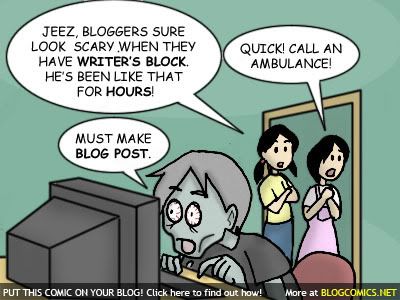
The major cause of my bad frequency of posting is the blogger's block. Having trouble on what to blog about and I don't know how to begin and start writing - not even writing a draft. Staring blankly in front of the post editor and hoping that I'll think of a topic to write but ended up not writing anything. I was out of idea, lack of inspiration, creativity and motivation.

As a blogger this concerns me because readers will return disappointed because I didn't update my blog with fresh post. This may cause the readers to abandon reading my blog.

Learning from my mistakes, I'll find out ways to improve my blog and correct the mistakes which I have made.

I need to overcome these obstacles by overcoming procrastination and battling blogger's block.

Always Double Check Your Works

I'm so happy after I've completed with my programming project wich is due today.  What a relief, after all the hardworks squeezing my brain out to write a program of a Point of Sale system, now I can start concentrating on the final papers next week and on the following week.

Actually the program has completed last Wednesday but I didn't double checked whether the whole program runs without any problem. After done writing the program I just proof checked a few of the functions and assume that the other functions are working as those I've checked.

I WAS COMPLETELY WRONG!! 


Photo courtesy of Latin Snake.

Actually I was about to submit the program to the lecturer until that I discovered a glitch that one of the function is not working.  So I have to debug the program and try to look for the error and it's a lot of work!! It really stressed me out and give me a big headache because I have to check the codes line by line and functions by functions and compare it to the header file of another program within to locate and correct the error.

Debugging the program patiently and at last I found the bloody culprit.
"saveProduct(data, items)" <- WRONG!!!
This is how it supposed to be -> "saveProduct(items, data)"

Just misplaced these two entities, "items" and "data", has made the whole system gone out of order. I bet I was lucky to double check it just before I send it to the lecturer. This may have saved few marks for my project and I hope that I'll get a good result. 


Photo courtesy of The Situationist.

My parents, high school teachers, university lecturer always harps on this issue over and over:
Never leave everything to the last minute so that you won't lose the chance to revisit and double check your work. I know, I rarely listened to them, but I know why the keep stressing this out.

So folks, the moral of the story is 
Always Double Check Your Works!!

How to Stay Focus

Final exam is around the corner and my first paper is on next week Friday. I still have an assignment due this Friday and still doing it. Was supposed to finish it earlier so I can start doing my studies for my papers. The problem is that it's hard for me to stay focus on what I'm doing. I'm so easily get distracted and I always multi-task and procrastinate!! Switching from a task to another task and spend most of my time doing things that seems important but actually aren't.

As a student, I have this feeling buried deep down inside me. It's a pain to the soul, feeling guilty for not studying. It feels like something eating me from the inside and I feel like to explode. Stressed, disoriented, unmotivated, crazy, blank, blur, idle, hyper, inactive, whatever..... bla bla bla


Photo courtesy of Seif Hamdy.

Enough with these NONSENSE!!!

I need to eliminate these thoughts and re-organize my mind and seek optimum mental focusing as focusing is the key to all success.


Photo courtesy of activerain.com

8 steps to obtain optimum mental focusing...

1st... I need to eliminate all distractions.

  • Plan what need to be done for the day as this will free my mind from worrying about it.
  • Clear my desk.
  • Strictly no Facebooking, MSN chatting and web surfing.
  • Put the phone into silent mode.
2nd... Take my breakfast because it's the most important meal of the day. It will fuel me up and make me feel better and energized, this will help me to perform better. Remember eating healthy breakfast is the best way to start off your day.

3rd... Clear my mind and practice focusing by meditating. This will also help me to relax.

4th... Do a bit stretching before engage into studying. This will help to relax my tense muscles and increase blood circulation.

5th... Put on mood lifting music. I can't study without music because it'll will make my mind wander. Melodic trance and electronic musics boost my mood.

6th... Take action and discipline!! Work my plan and use it to guide and keep me moving forward.

7th... Take short breaks. So it's break time, do stretching and re-fuel myself with some water or coffee.

8th... Reward myself after the hard work. Celebrate my accomplishments and knowing that I've done my best.

We're Social Network Junkies


Photo courtesy of bassiclines.blogspot.com

To be honest, I'm not the only one here. Well... We're all bunch of social network junkies. Whether it's the old Friendster, the most popular social network in the South-East Asia, or the musically bling bling MySpace, or the new Facebook application or whatever social network service you can find in the internet ~ which also includes... blogging.

Once upon a time, it was Friendster who's responsible sticking my ass on the chair in front of the PC most of the time. Checking and replying new messages, group's, profile's and picture's comments, new friend requests, birthday updates, checking out "Who's viewed You" and the most time consuming is the profile customization - I've spent approximately 3-4 hours grooming it ~ weekly. I also do help some of my friends grooming theirs. Which also mean, I spend more time on Friendster!!


Photo courtesy of thebatt.com

Then comes Facebook... Once was rejected by me but now I'm the one addicted to it. With its kick ass applications, I didn't realized that I'm stuck with it . The best part is its built-in chat application, you can chat with your online friends!!! Also with its real-time feed notifications, you'll be alerted with your friend's latest updates. How cool is that? I'm always "connected" with my real friends and also my virtual friends!!! WoW.... Yea, I do categorize my friends.


Photo courtesy of collective-thoughts.com

It is no suprise why Facebook is so bloody addictive. Facebook supports applications which interacts with ones online interests such as gaming, dating, music and quizzes. All of these are the core online activity for Facebook addicts ~ like me... and I'm more into gaming.

I've been playing quite a number of Facebook games such as Transformers, Heroes, Vampire and so on... But none compared to this game called Mafia Cities. Mafia Cities is developed by Kramaley Games Ltd. It has a massive amount of active players, with 61, 892 of active players and 83 out of 333 of my Facebook friends are playing this game and most of them are my virtual friends. About their gameplay, overall it is yet the best amongst any other games of its category eg. Mafia Wars, Gangster Battle, Mob Wars etc.


Mafia Cities is a Mafia-style combat game, picking up fights and build your businesses in 20 cities of available in this game. You may also join a Mafia family to aid you and your mob throughout the game. I'm very grateful that I've joined the most helpful family, the Commandos [C], which has trained and build me up throughout my days playing this game. Now I'm one of the Capo (Captain) of one of the family branch, Commandos []C[], controlling the city of Shanghai. What a great achievement yea? ;-)

CAUTION:
This game is very addictive that I play it everyday - even in the class while the lecturer is teaching. Most of my time is on this game, playing it day and night. Although I'm hard on it, I don't miss a chance to break up some sweat, going for outdoor activities and do sports.


Photo courtesy of corbis

Don't just sit there updating your Facebook, you lazy sod. Come on and join me stretching up. 1... 2... 3...

Here's video for you while you're stretching up. Cheers mate!!


Social Media Addiction by Poetic Prophet
Check out the lyrics at his blog

Related Posts with Thumbnails

Copyright © 2008 - Eli Shares - is proudly powered by Blogger
Smashing Magazine - Design Disease - Blog and Web - Dilectio Blogger Template